Fixing parameters of a variogram model
Intro
By default, the GeoKrige package estimates parameters to minimize the Least Square Error. However, users also have the option to manually fix a specific parameter to a predetermined value.
When only one parameter of a model is fixed, the remaining parameters will be estimated by the GeoKrige package.
In-built variogram models consist of three parameters: distance, range_param, and sill_param (in this order).
The distance parameter represents a variable distance value and cannot be estimated or fixed. However, the other
parameters (sill_param and range_param) are estimated by the GeoKrige package, so they can also be fixed to specific
values.
If a custom variogram model has different parameter names (for instance, h, range, sill), the parameters can also
be fixed. The only difference would be using different parameter name in the fit method, so that they correspond to
the naming convention of the custom variogram model. For more information about defining custom variogram models, please
visit this section
The meaning of variogram model parameters has been described here.
Load tutorial data
from geokrige.methods import SimpleKriging
from geokrige.tutorials import data_df

X = data_df[['lon', 'lat']].to_numpy()
y = data_df['temp'].to_numpy()

kgn = SimpleKriging()
kgn.load(X, y)
Create a variogram
Fit automatically a variogram function to the variogram
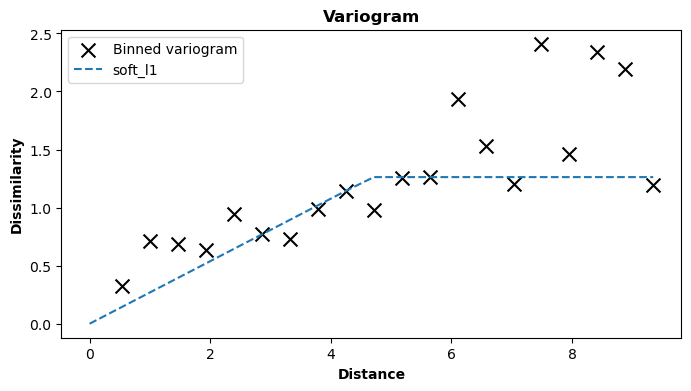
In this case, the parameters have been automatically estimated and can be viewed using the learned_params attribute of
a class instance.
The order of the values in the list above corresponds to the order of the parameters defined in a variogram function. In
the GeoKrige package, every VariogramModel has embedded functions with the following order: distance, range_param,
sill_param. Thus, the first value pertains to the range_param, and the second value corresponds to the sill_param
(the distance parameter cannot be estimated).
Fix manually parameters
The parameters of a variogram model can be fixed by passing kwarg statements to the fit function as follows:
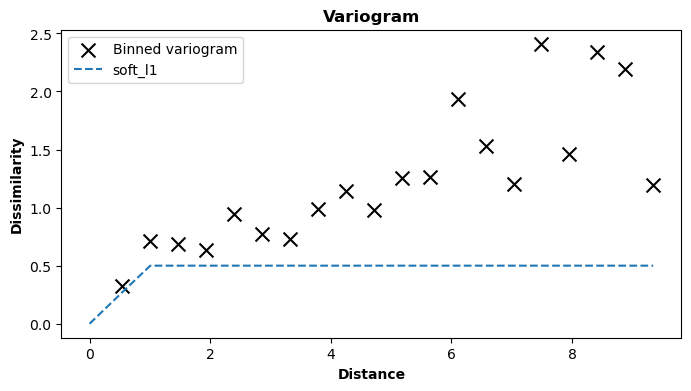
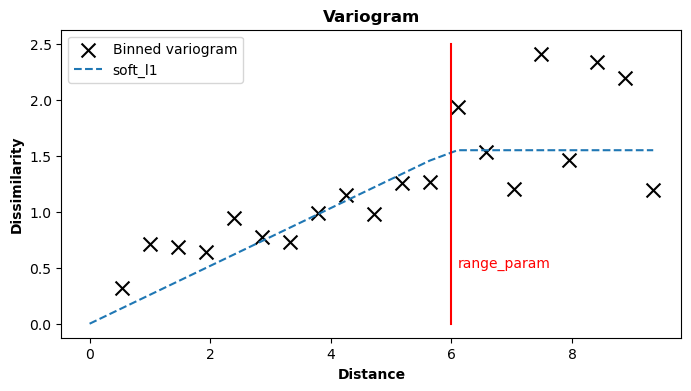
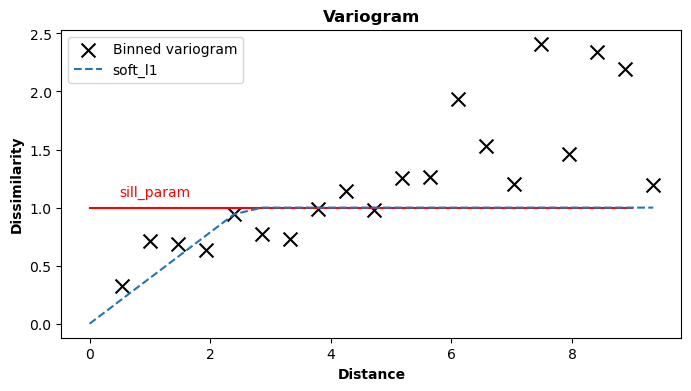
If only one of the parameters is fixed, the other one will be estimated. The plots below illustrate the impact of the
range_param and sill_param values (red lines).
kgn.fit(model='linear', range_param=6)

import matplotlib.pyplot as plt
plt.plot([6, 6], [0, 2.5], color='red', zorder=1)
plt.text(6.1, 0.5, 'range_param', ha='left', color='red')
plt.show()
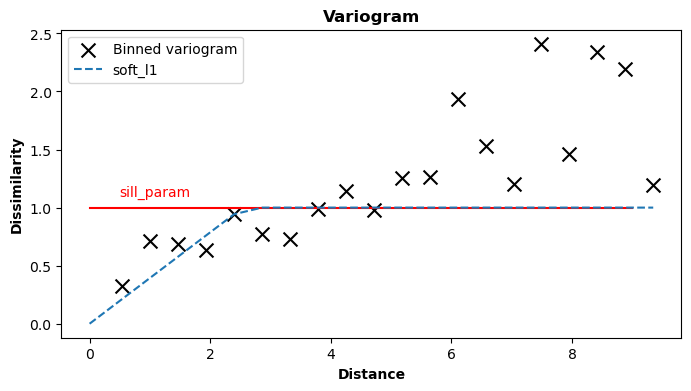
kgn.fit(model='linear', sill_param=1)

plt.plot([0, 9], [1, 1], color='red', zorder=1)
plt.text(0.5, 1.1, 'sill_param', ha='left', color='red')
plt.show()
Note that fixing the distance parameter to a specific value is also possible, and it would not raise any
exceptions. However, it is important to understand that this operation would not alter the variogram in any
manner – the GeoKrige package would simply disregard this fixation.
kgn.fit(model='linear', sill_param=1, distance=100)

plt.plot([0, 9], [1, 1], color='red', zorder=1)
plt.text(0.5, 1.1, 'sill_param', ha='left', color='red')
plt.show()